Zimbabwean investors have long faced a fundamental problem: they place orders blind. No visibility into what buyers are offering, no idea what sellers are asking. Decisions made in the dark.
ShareholderView changes that. Now your market research feeds directly into your trade — check depth, review analyses, and place your order without ever leaving the flow. Here's how it works.
Check Market Depth
Before placing any trade, open the Market Depth page for a live overview of all 51 tracked stocks.
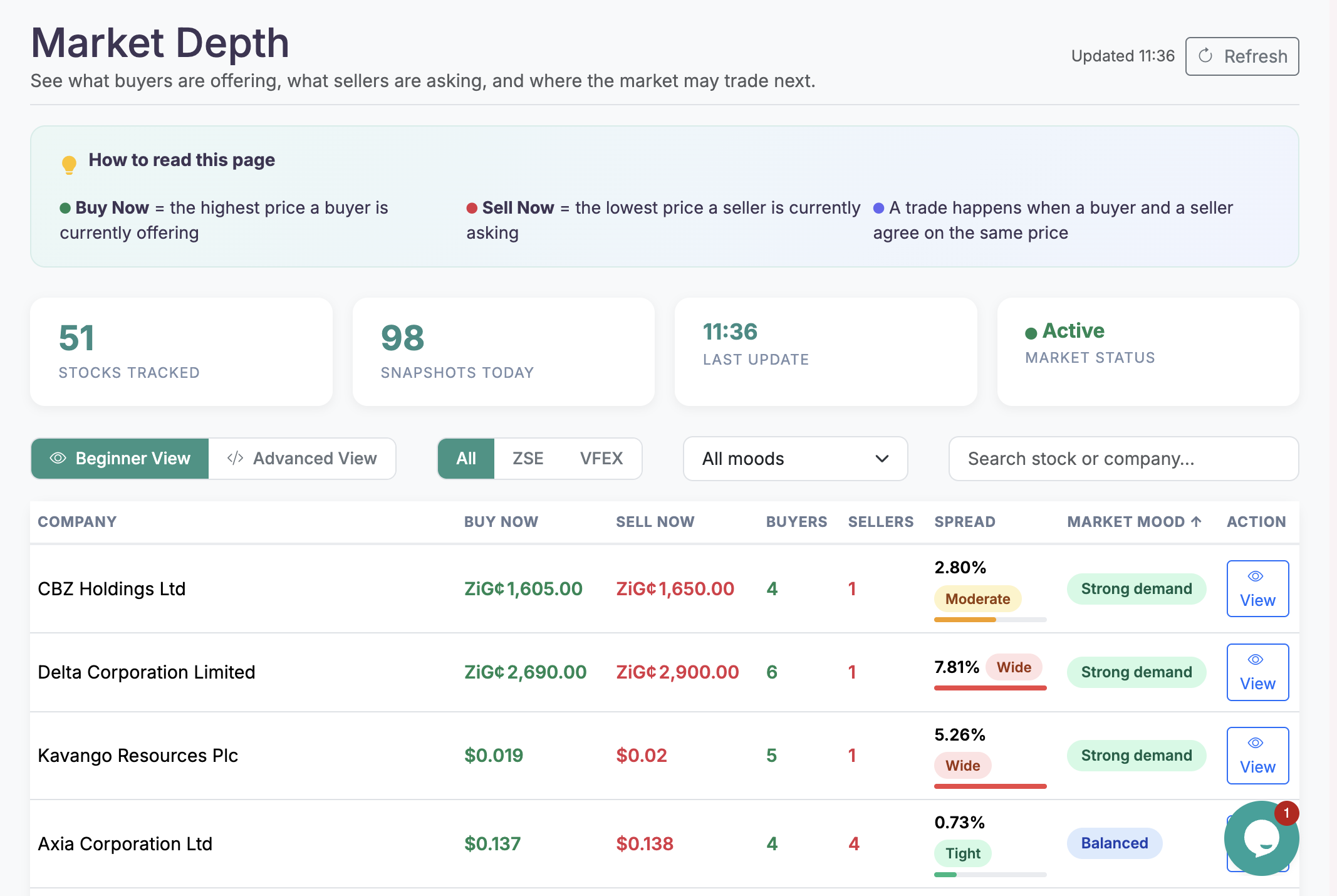
At a glance, you'll see:
- Buy Now price — what buyers are currently offering
- Sell Now price — what sellers are currently asking
- Number of buyers and sellers in the market
- Spread — how tight or wide the gap is, across all 51 tracked stocks
No spreadsheets. No guesswork.
Drill Into Any Stock
Click View on any stock to open its full order book with spread rating and demand vs supply visualised.
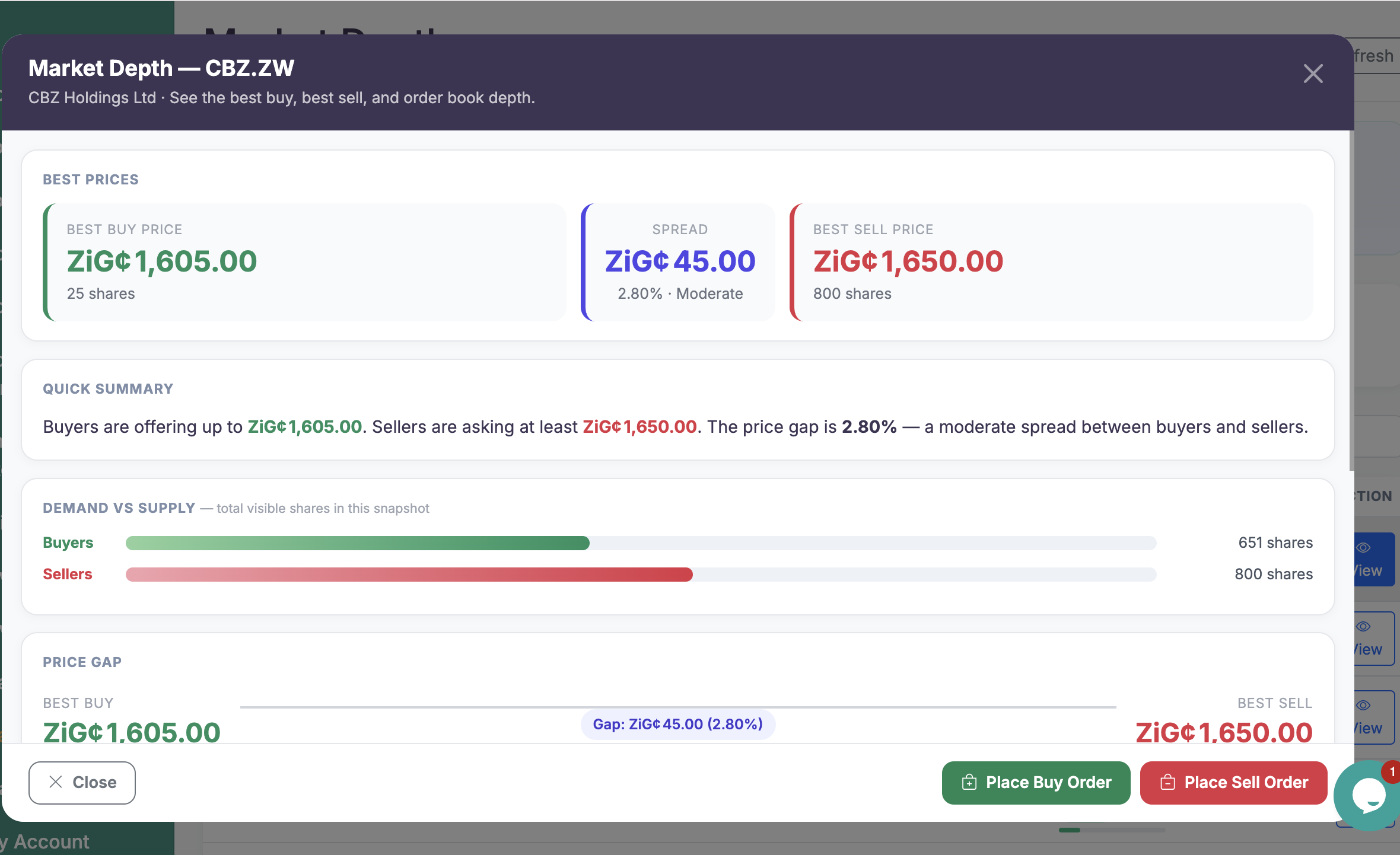
For example, for CBZ.ZW you can instantly see:
- Spread: 2.80% — rated as Moderate
- Demand vs Supply visualised as a bar chart
No spreadsheets. No guesswork.
Walk Through the Guided Trade Flow
Ready to buy? ShareholderView walks you through it step by step before you commit.
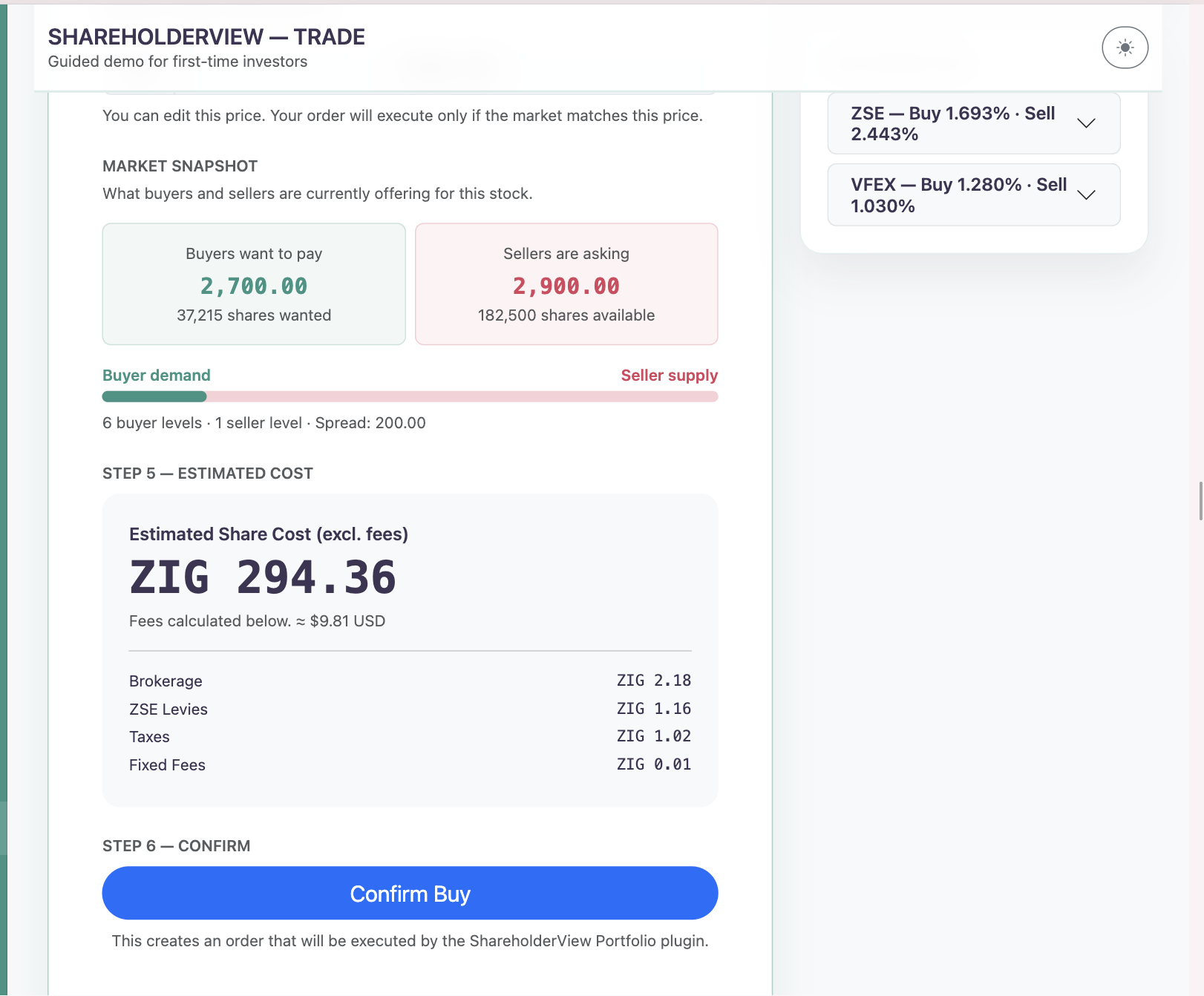
You'll see:
- A live market snapshot before you commit
- Estimated share cost
- A full fee breakdown — Brokerage, ZSE Levies, Taxes, and Fixed Fees
No surprises at checkout.
Auto-Fill via the Chrome Extension
This is where the Chrome Extension earns its place.
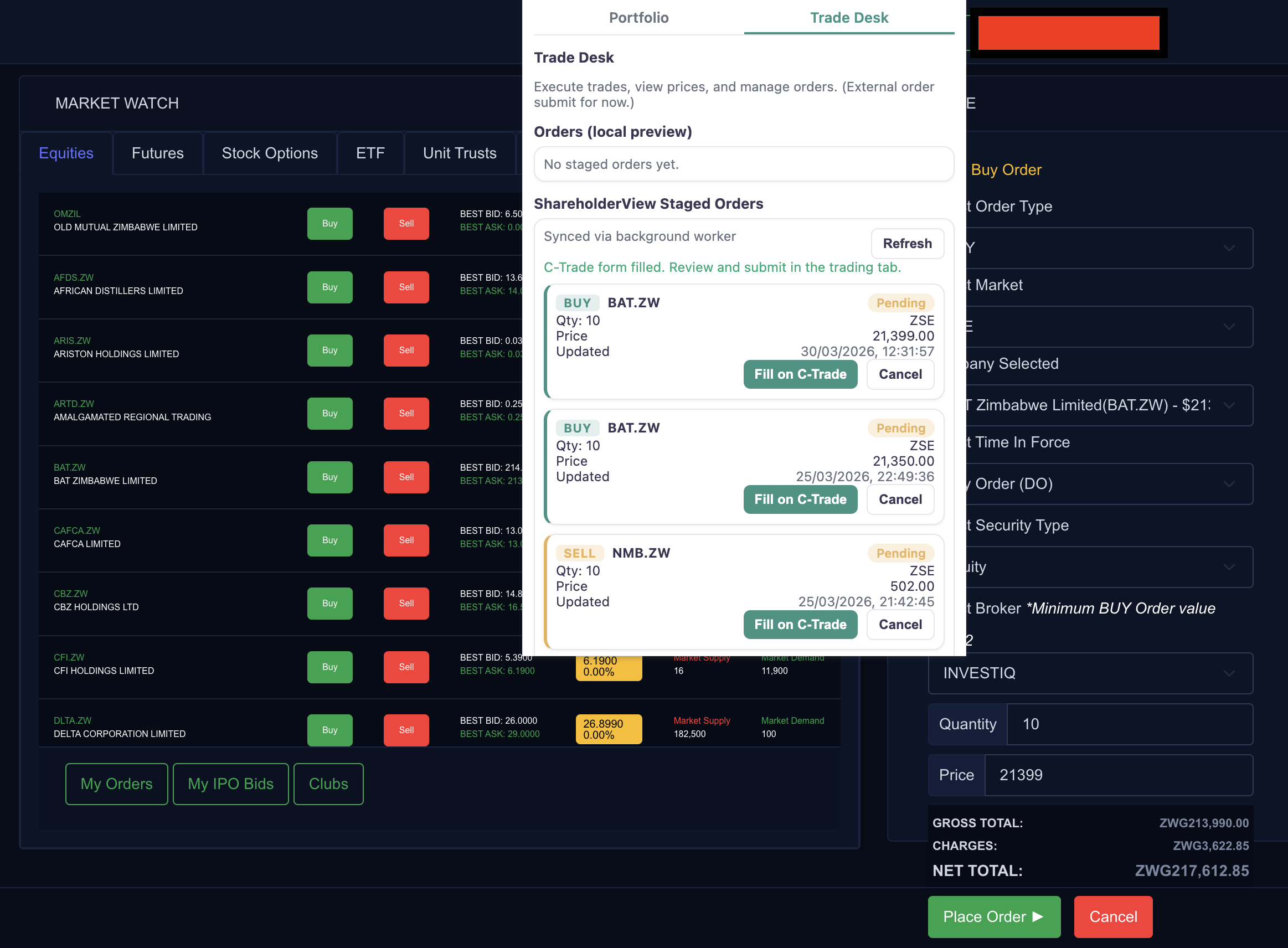
Once your order is staged in ShareholderView, hit "Fill on —" and the extension auto-populates your trade details directly into the broker platform. It works across ZSE, VFEX, and C-Trade.
- No copy-pasting
- No re-entering prices
- Just review and place
The Full Flow, Summarised
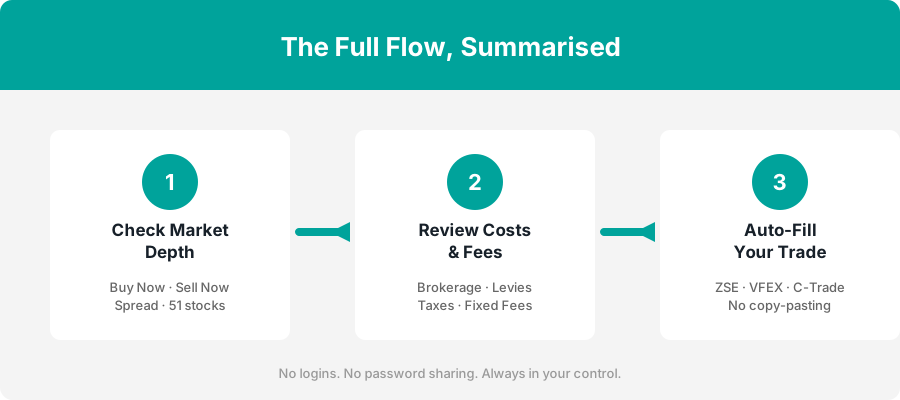
Your trade, end to end
- Check market depth
- Review costs & fees
- Auto-fill
Get the Chrome Extension
The ShareholderView Chrome Extension works across ZSE, VFEX, and C-Trade — and takes seconds to install.